GLMap 2.0

GLMap 2.0 is our largest SDK update in years. It adds 3D terrain, one search flow for online and offline data, new pedestrian routing profiles, Vulkan rendering on Android, and much smaller reference applications for Swift and Kotlin.
The goal is not a longer API. It is a more capable map that remains compact to integrate, works with downloaded data, and behaves consistently across iOS and Android.
The map now has real terrain
Set altitudeScale and the existing map rises with the landscape. Tracks, markers, labels, hillshades, slope shading, and contour lines remain part of the same map instead of becoming a separate 3D scene.
Terrain data can be downloaded by region and rendered offline. Applications can use natural elevation or exaggerate it when the landscape needs to be easier to read.
The How 3D Terrain Works article shows the feature, the available elevation views, and the compact iOS and Android integration.
One search UI, online or offline
GLSearchRequest gives applications one request model for the Globus search service and downloaded maps. Text, locales, categories, ranking center, and result limit are shared; the app only chooses where to run it.
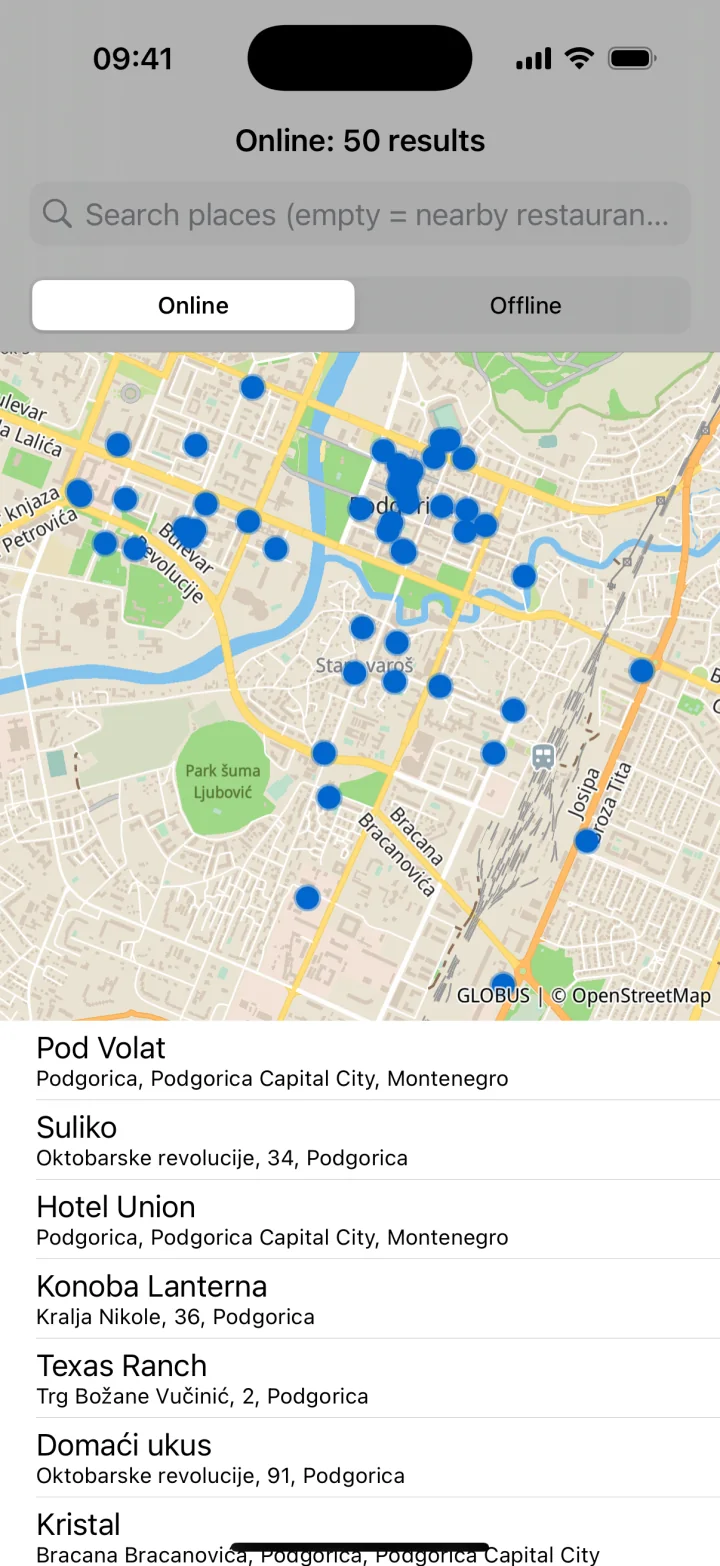
Both paths return the same map objects with display-ready titles, secondary text, categories, and ranking data. The same table and marker layer can therefore show online results, offline results, autocomplete, or nearby category browsing. Requests can be cancelled and completion is delivered exactly once.
The search tutorial and both reference apps show the full map-and-table flow.
Routing for more kinds of walking
GLRoute now includes explicit walking, hiking, wheelchair, and blind-pedestrian profiles. Applications can choose the profile that represents the trip instead of adapting one generic pedestrian route after it is built.
Route tracking, alternative selection, elevation validation, cancellation, and malformed-response handling are also more robust.
Faster Android rendering, broader platform coverage
On supported Android devices, GLMap 2.0 uses Vulkan and falls back to OpenGL ES when needed. The choice is automatic, so applications keep the same map API and visual style.
The release supports Android 17 and targetSdk 37 while retaining Android API 21 as the minimum. A dedicated Android 17 startup application is part of the release checks.
Apple platforms continue to use Metal. GLMapCore can now also be built for watchOS; this is core-library support rather than a watchOS map-view product.
Reference apps designed to be read
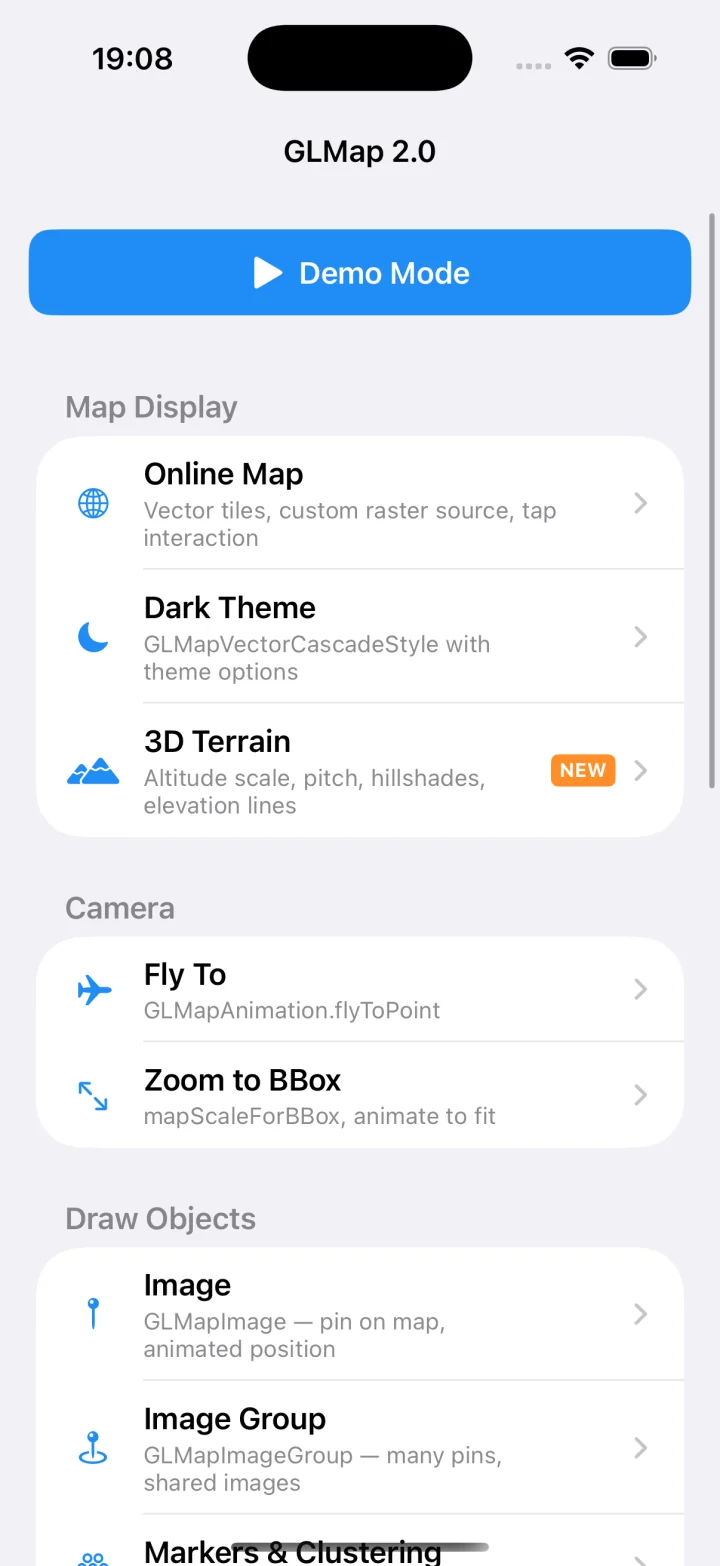
The new SwiftDemo and kotlinDemo cover the same feature groups with short, direct examples. Map display, terrain, search, routing, offline downloads, markers, and camera operations are easy to find and compare between platforms.
They are reference implementations, not showcase apps: the screens use normal UIKit and Android views, errors are visible, and the GLMap calls stay close to the UI that needs them.
Reliability at the boundaries
The less visible work in 2.0 focuses on production behavior: cancellation, empty input, malformed data, renderer recreation, download completion, and error propagation. These changes matter most when a screen disappears, a request is replaced while the user types, connectivity changes, or Android recreates its rendering surface.
Migration from 1.13.0
This is a major release. Review these source-level changes before updating:
GLSearchRequestis new in 2.0. Use it when one search flow should work with the Globus service or downloaded maps. Existing low-levelGLSearchoffline queries remain available.- On iOS, custom style parsing now reports errors. The Swift
GLMapStyleParsermethods are throwing. - For fly-to animations, set
animation.flyToMode = .enabledand change the map center inside the animation block. The old fly-to helpers were removed. - Replace old drawable hit testing with screen-bounds testing through
getScreenBBoxOnMapView:or its platform equivalent. - Applications must pass WGS-84 coordinates; the old China-coordinate switch was removed.
- Recompile code using route costing structures and initialize exported defaults instead of persisting their raw memory layout.
- Android applications that assumed OpenGL should allow GLMap to select the renderer, or explicitly configure and test their chosen backend.
Install 2.0
Swift Package Manager:
.package(
    url: "https://github.com/GLMap/GLMapSwift.git",
    from: "2.0.0"
)
Android:
implementation "globus:glmap:2.0.0"
implementation "globus:glsearch:2.0.0" // optional
implementation "globus:glroute:2.0.0"  // optional
Start with the installation guide, SwiftDemo, or kotlinDemo. Create an API key at user.globus.software/apps.